Hyperparameter Optimization
The default configuration for the models will not always work on a new dataset. Additionally, to increase performance, learning rate, optimizers, activation functions, etc. need to be tuned/selected. To make it easier to run such broad experiments that isolate the right combination of hyperparameters, Anomalib supports hyperparameter optimization using weights and biases.
YAML file
A sample configuration file for hyperparameter optimization is provided at tools/hpo/sweep.yaml and is reproduced below:
observation_budget: 10
method: bayes
metric:
  name: pixel_AUROC
  goal: maximize
parameters:
  dataset:
    category: hazelnut
    image_size:
      values: [128, 256]
  model:
    backbone:
      values: [resnet18, wide_resnet50_2]
The observation budget defines the total number of experiments to run. The method is the optimization method to be used. The metric is the metric to be used to evaluate the performance of the model. The parameters are the hyperparameters to be optimized. For details on methods other than bayes and parameter values apart from list, refer the Weights and Biases documentation. Everything under the parameters key overrides the default values defined in the model configuration. Currently, only the dataset and model parameters are overridden for the HPO search.
Running HPO
Note
You will need to have logged into a wandb account to use HPO search and view the results.
To run the hyperparameter optimization, use the following command:
python tools/hpo/sweep.py --model padim \
  --model_config ./path_to_config.yaml \
  --sweep_config tools/hpo/sweep.yaml
In case model_config is not provided, the script looks at the default config location for that model.
python tools/hpo/sweep.py --sweep_config tools/hpo/sweep.yaml
Sample Output
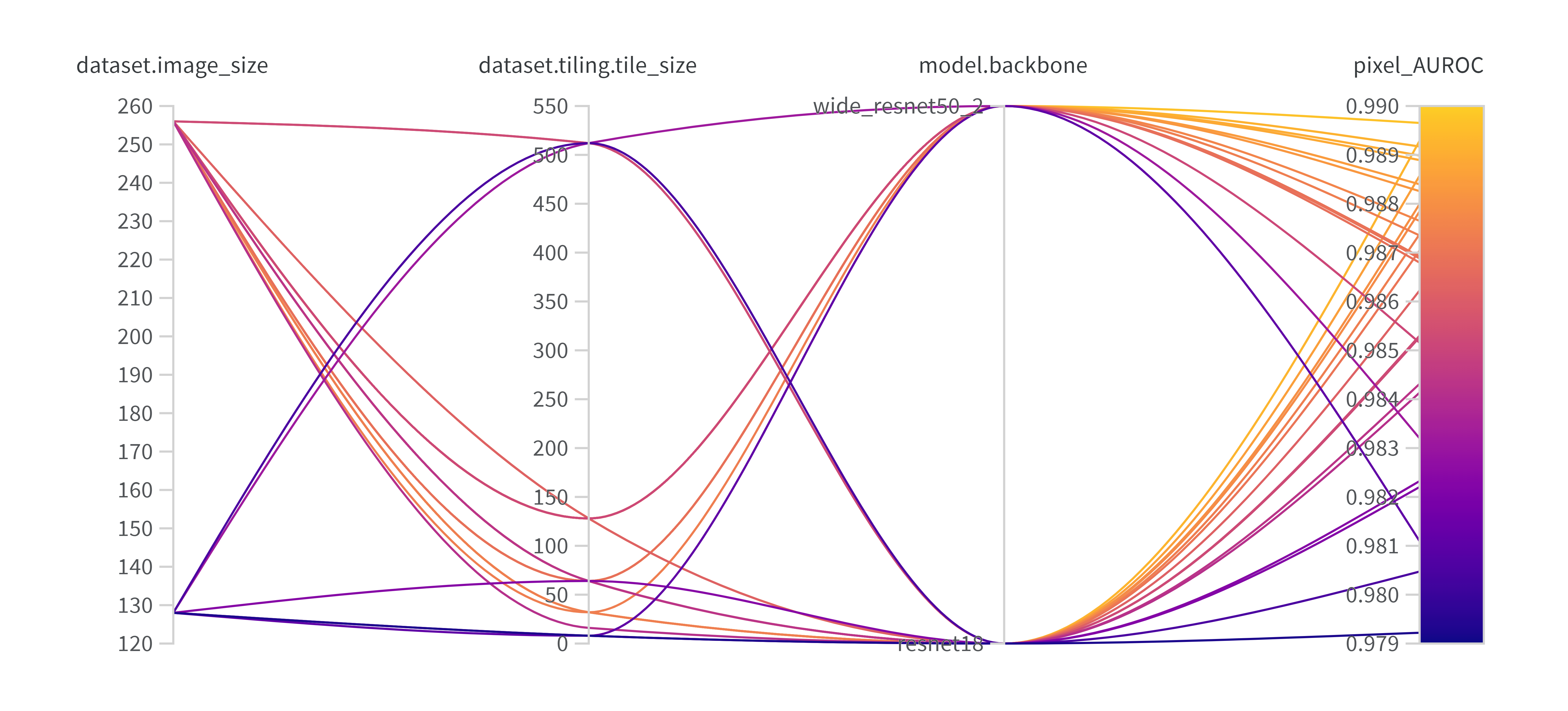
Sample wandb sweep on Padim